Typefaces · The Faces Behind the Twenty Designs
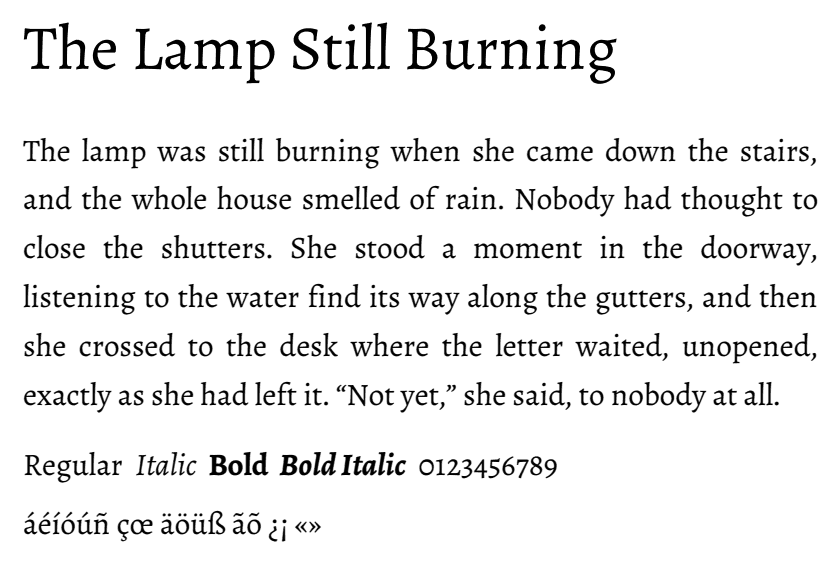
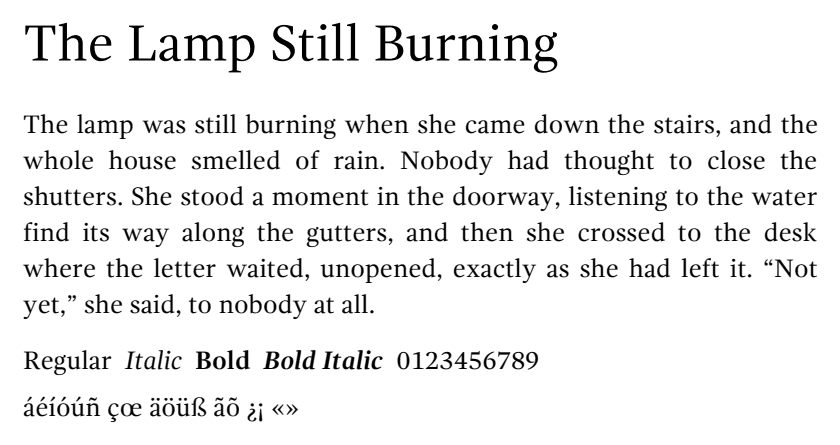
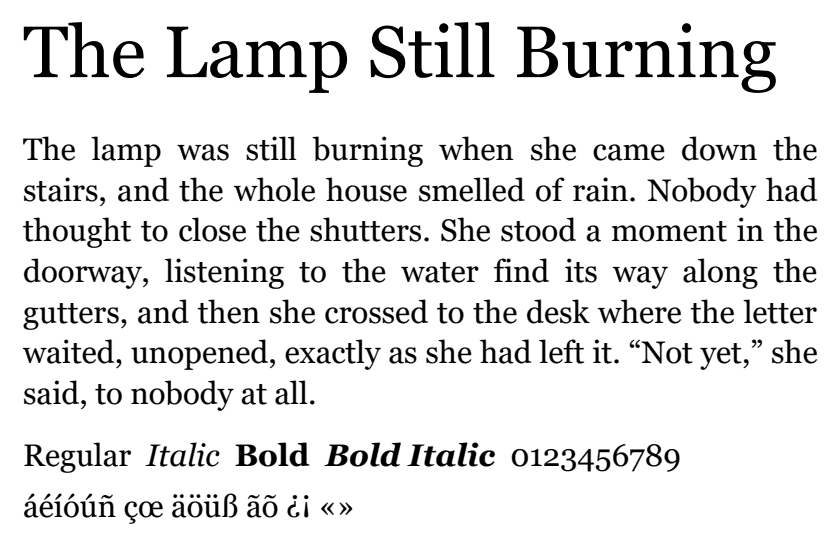
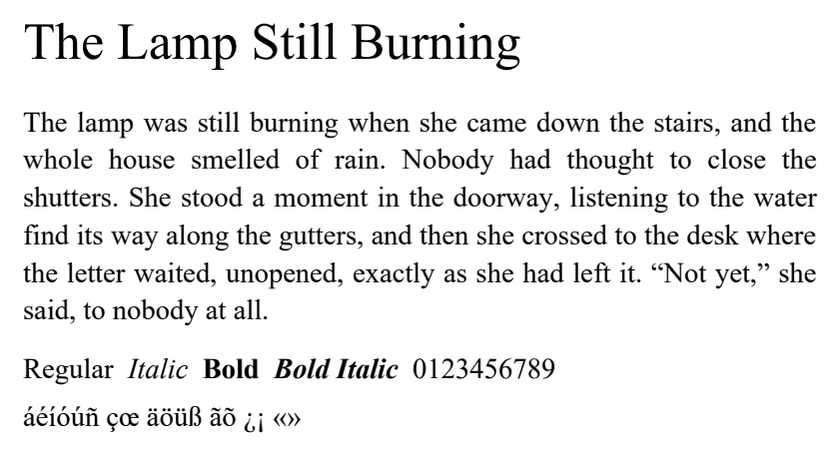
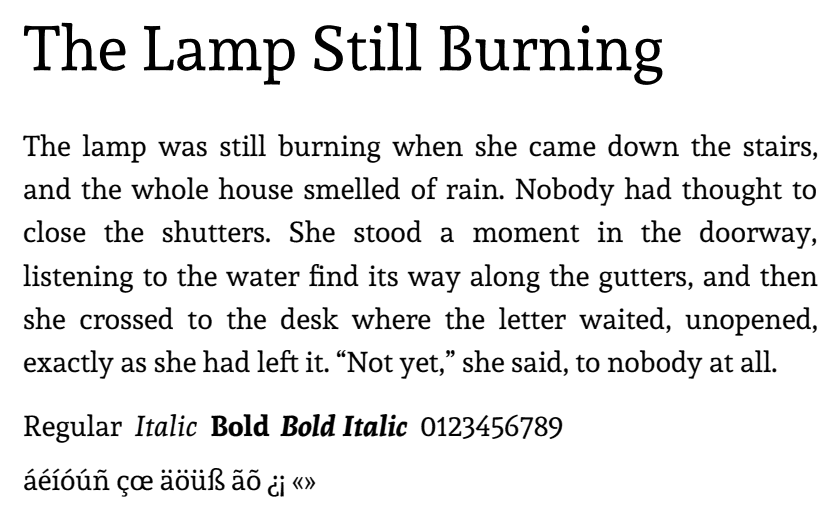
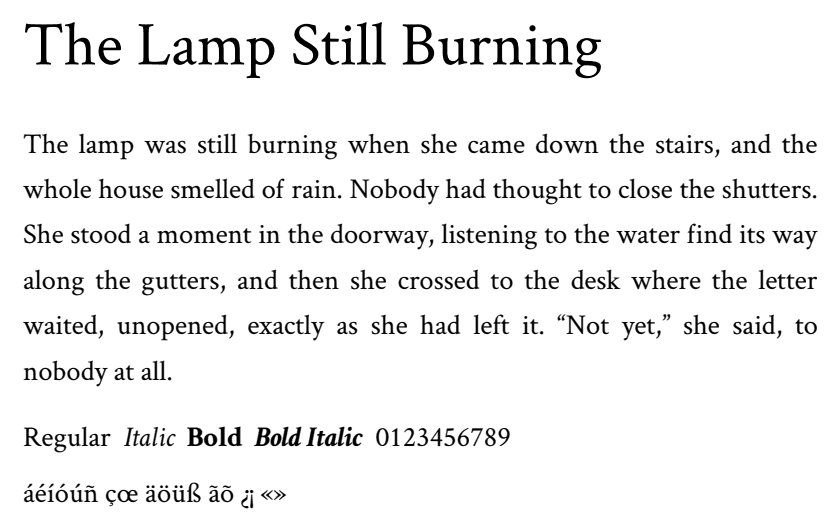
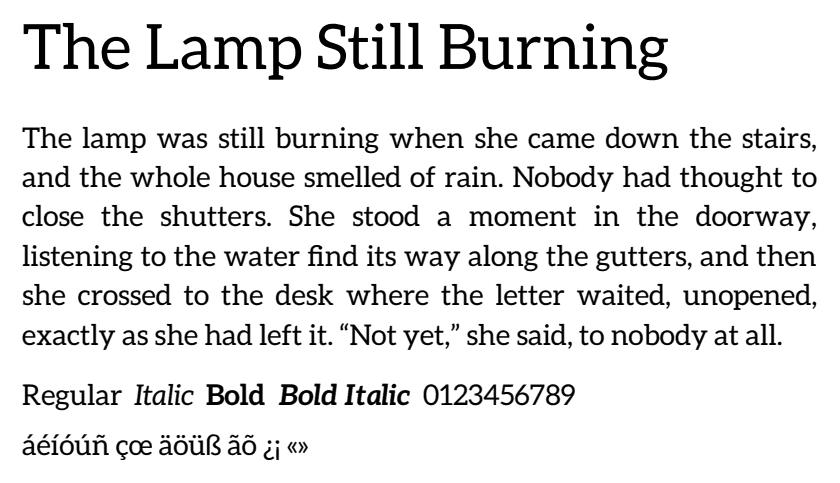
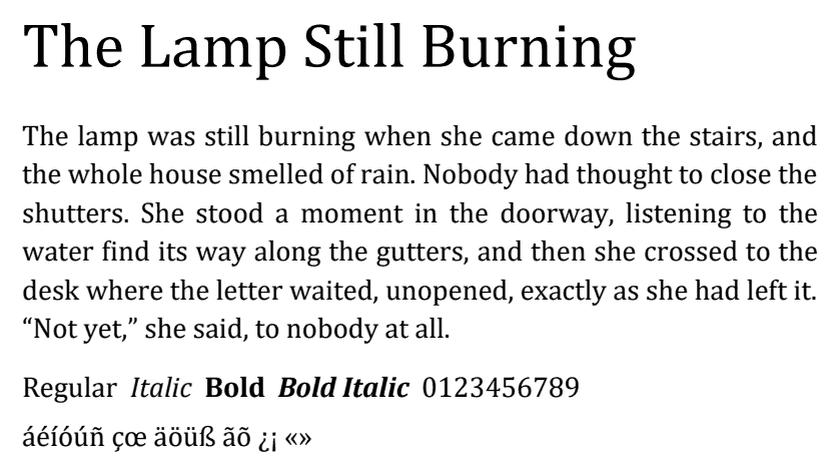
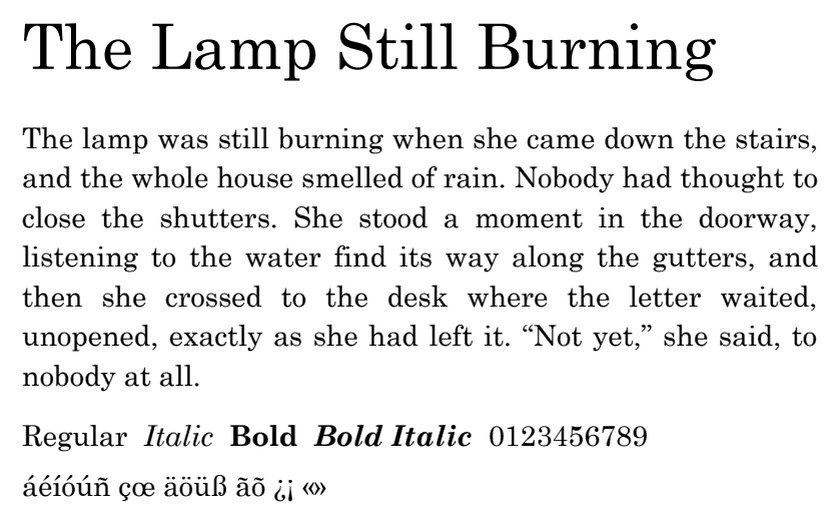
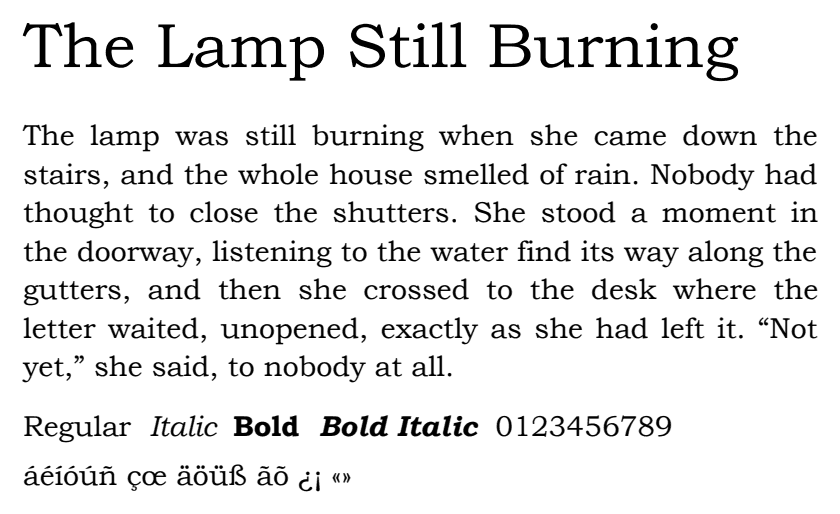
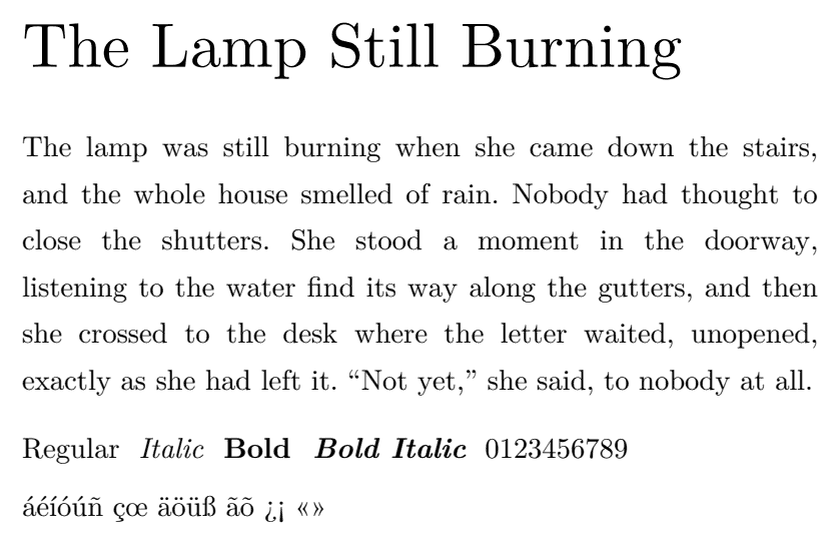
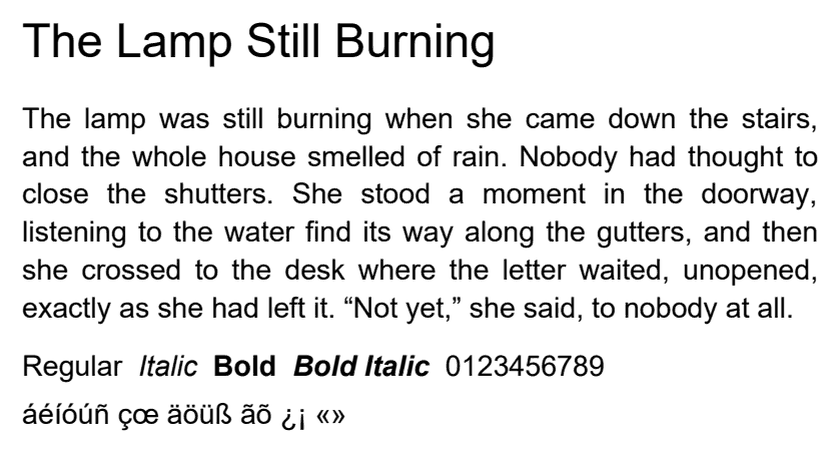
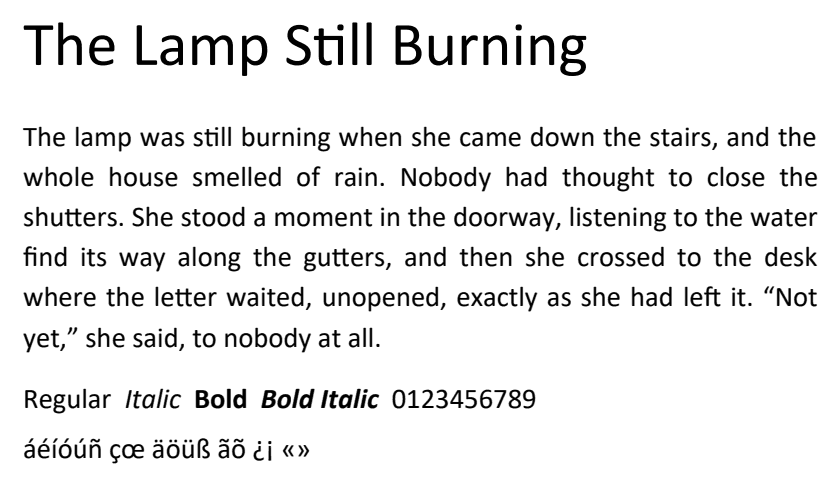
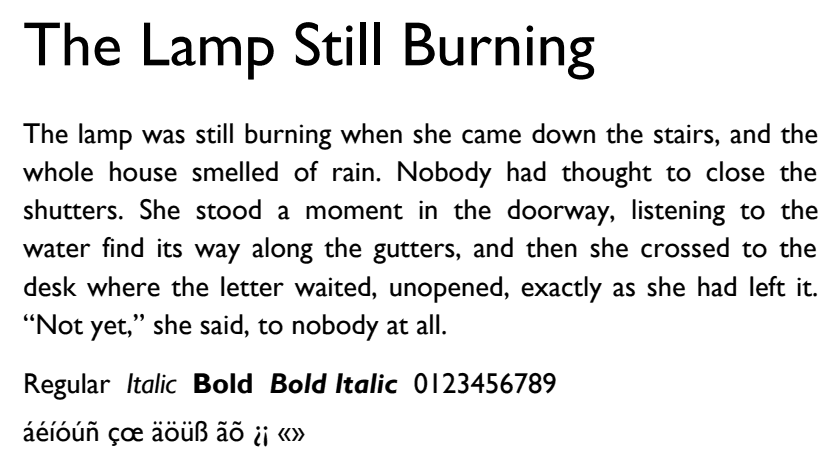
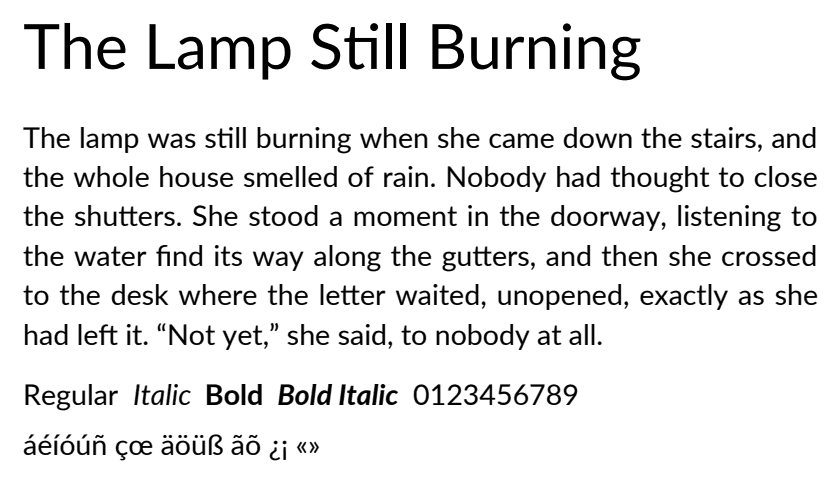
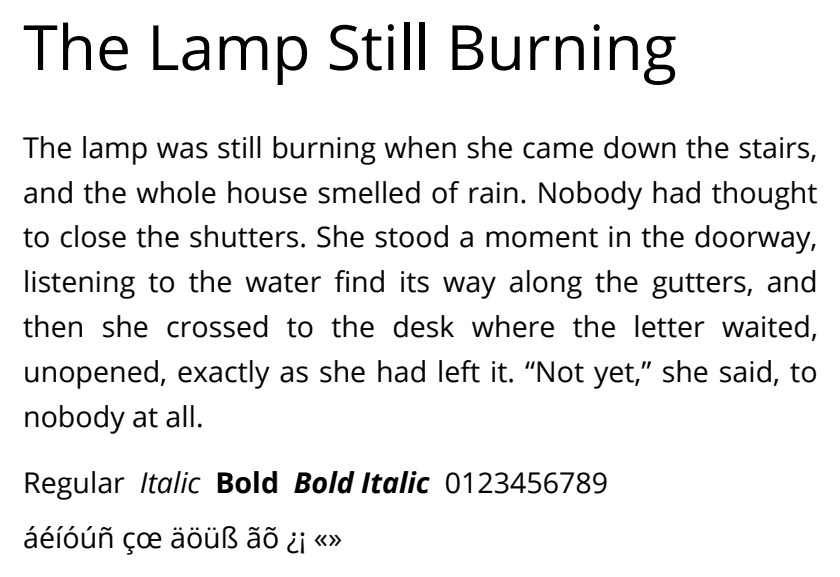
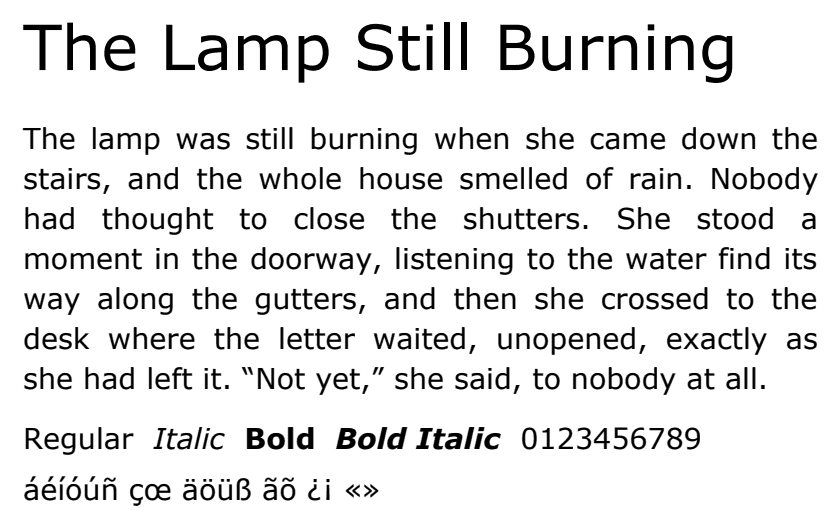
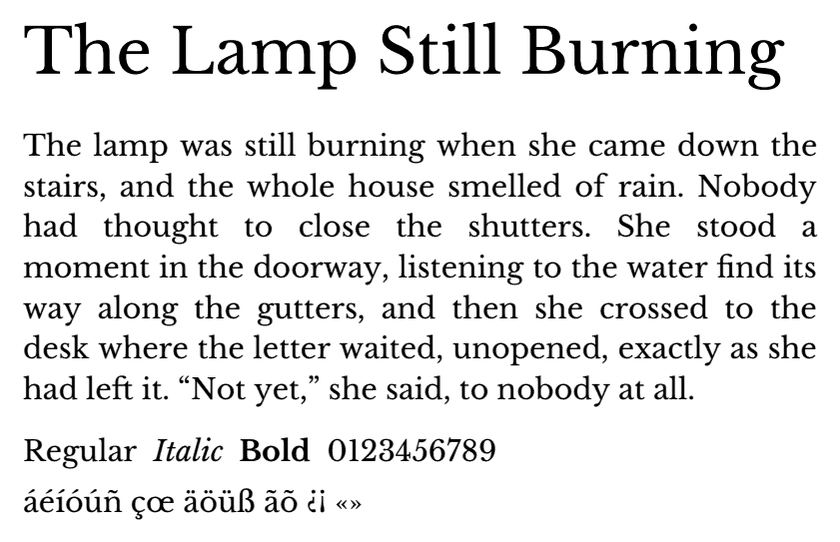
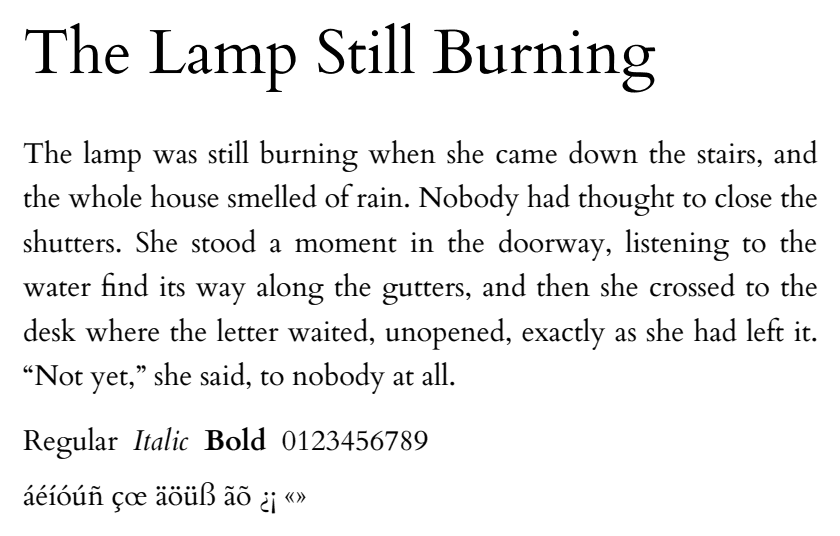
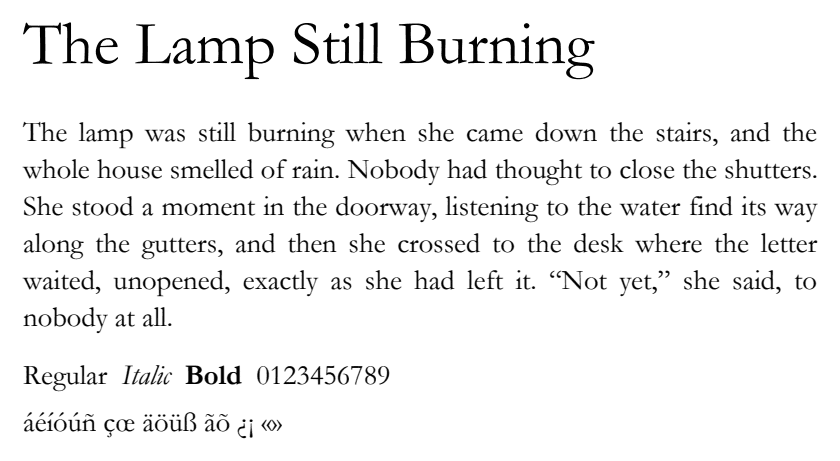
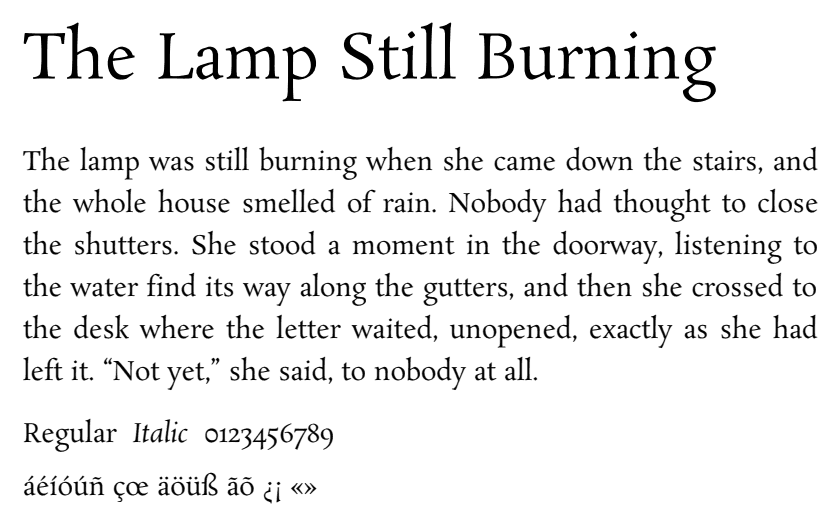
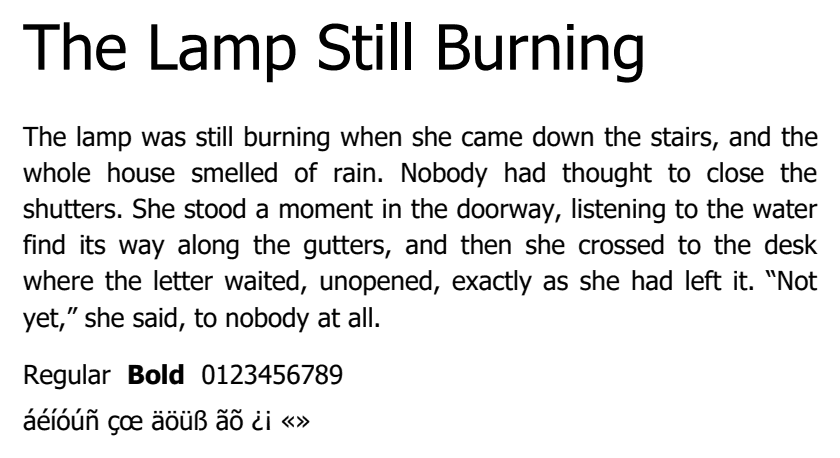
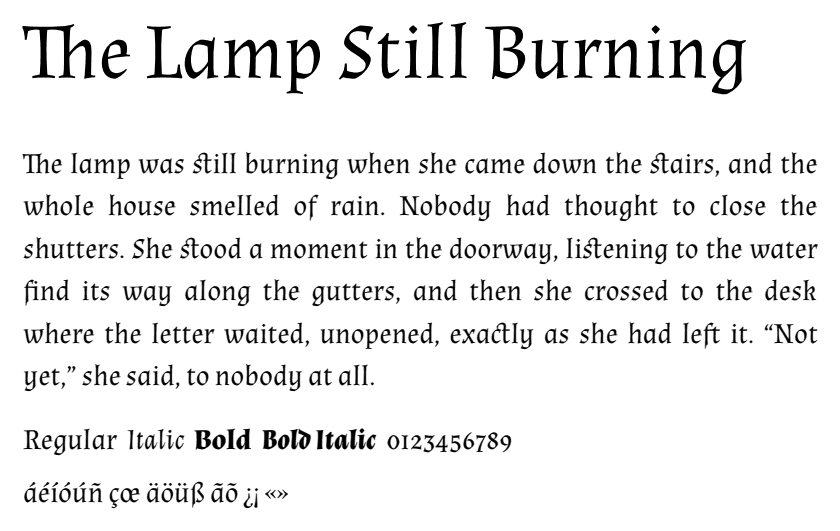
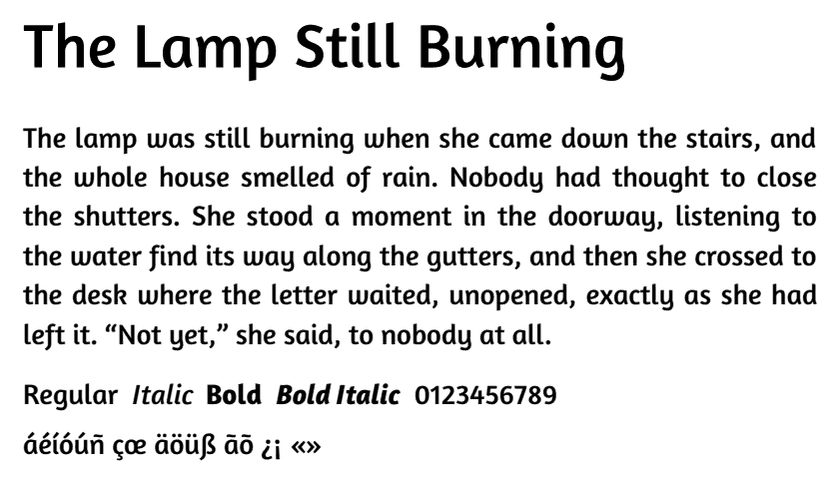
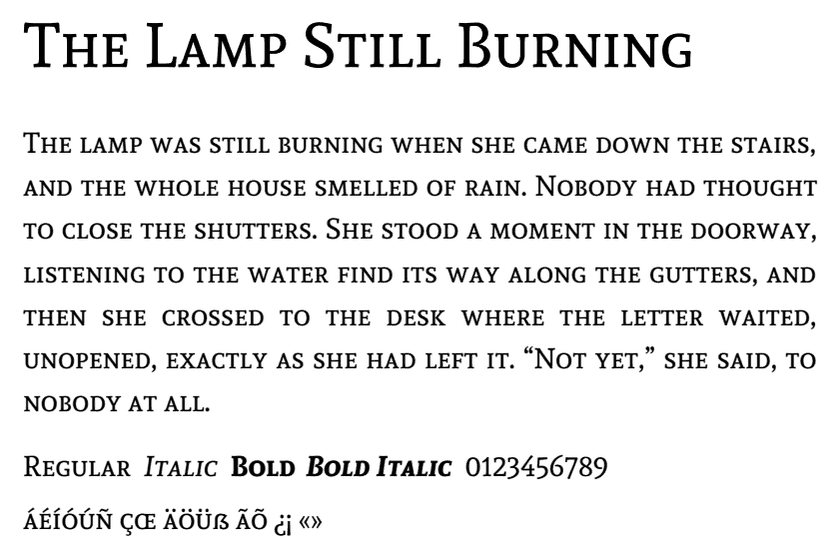
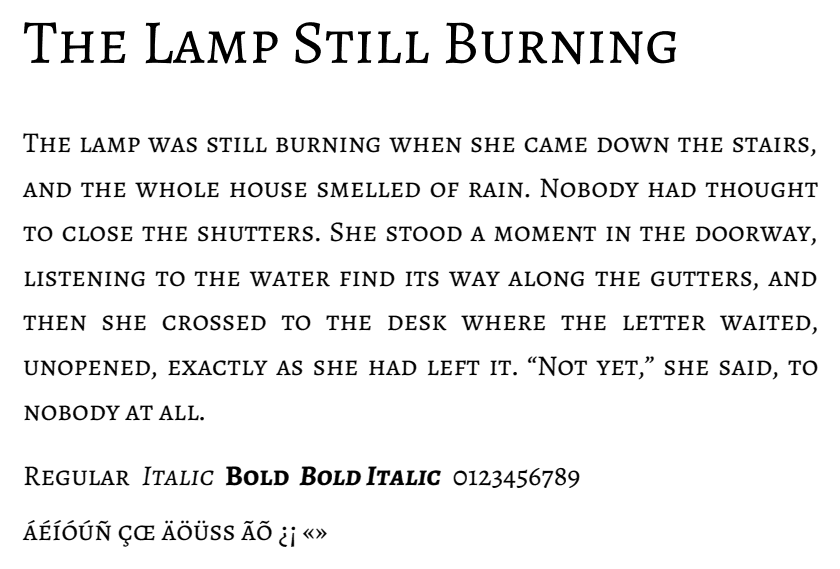
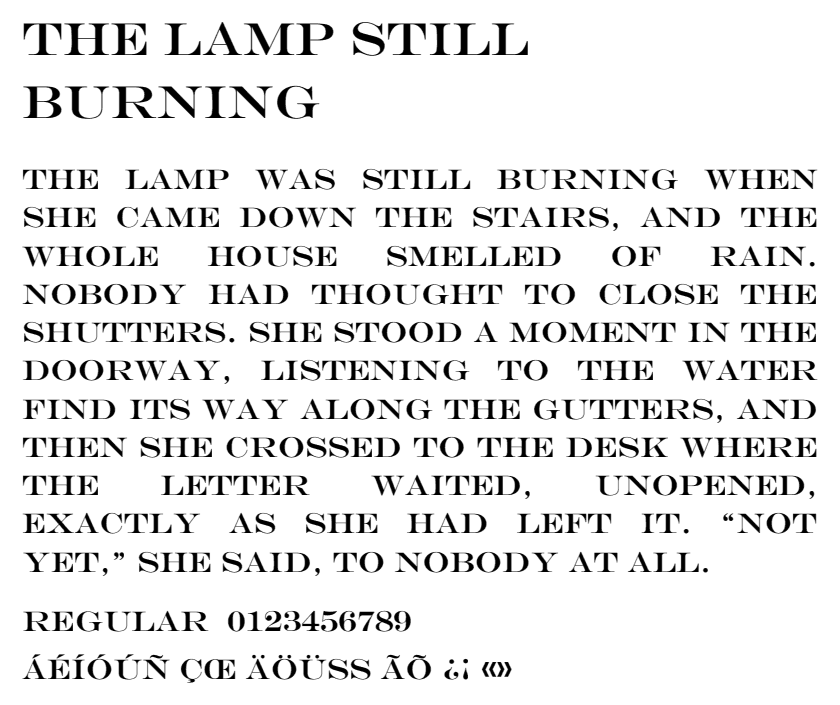
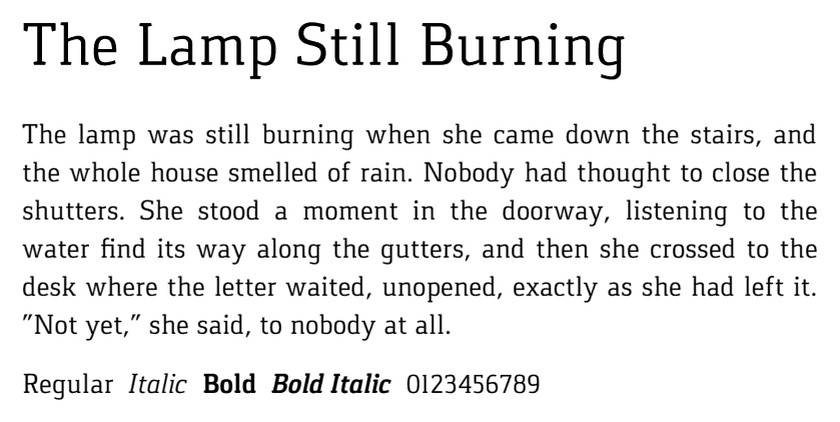
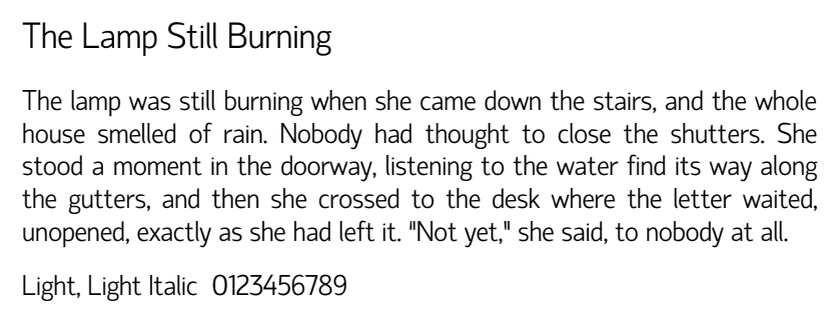
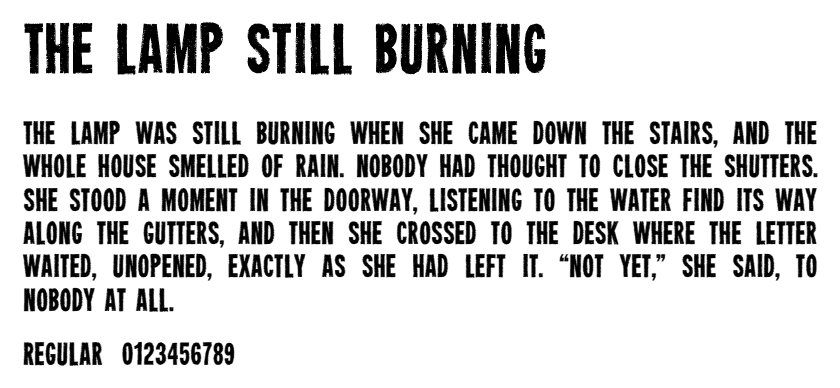
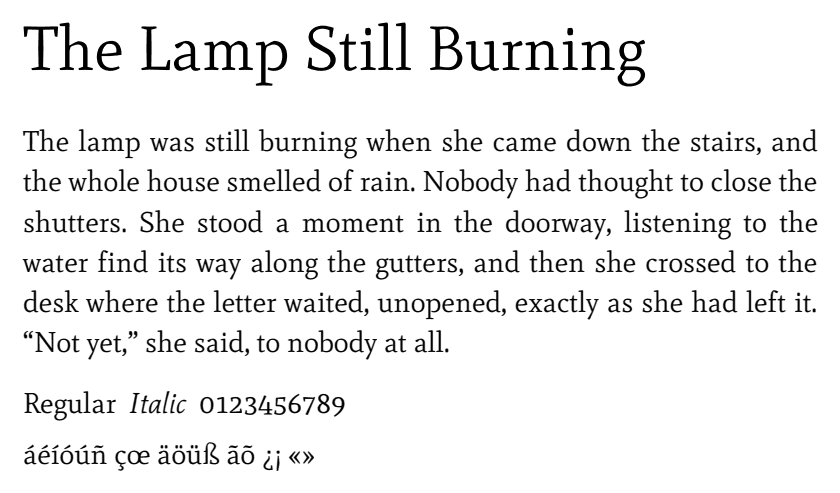
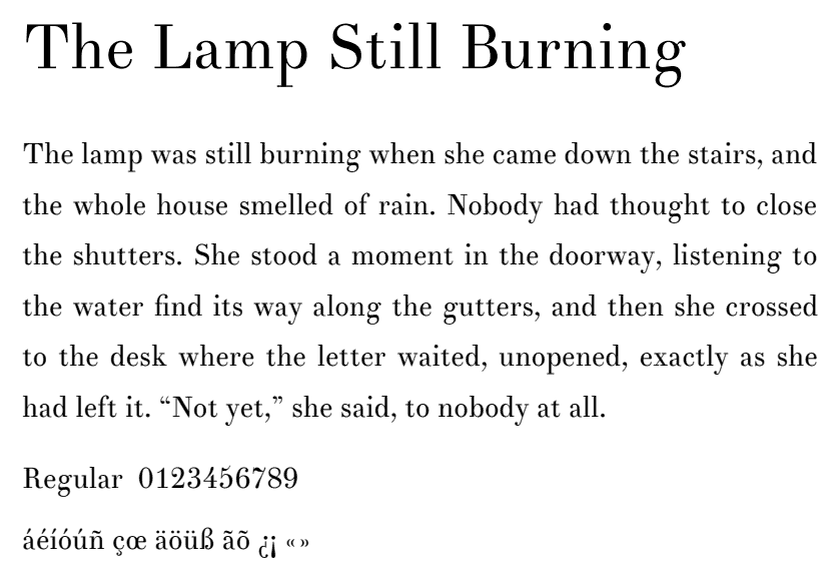
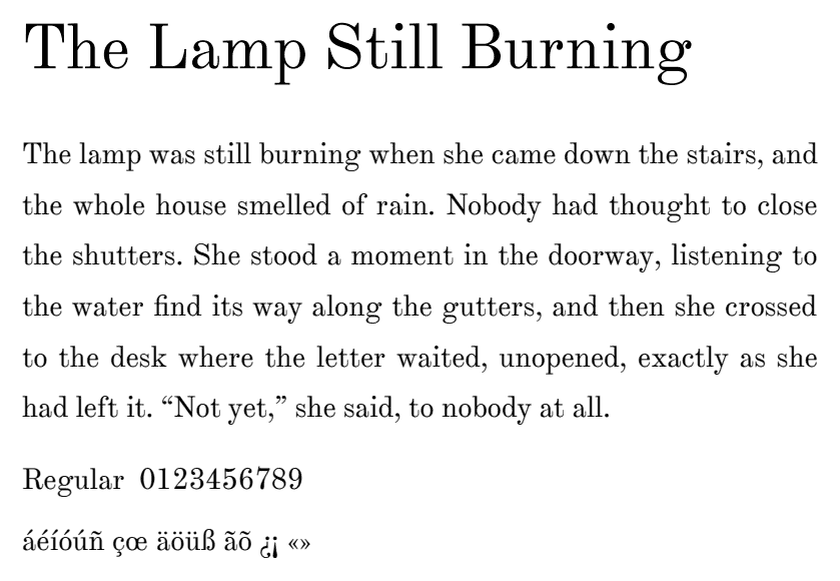
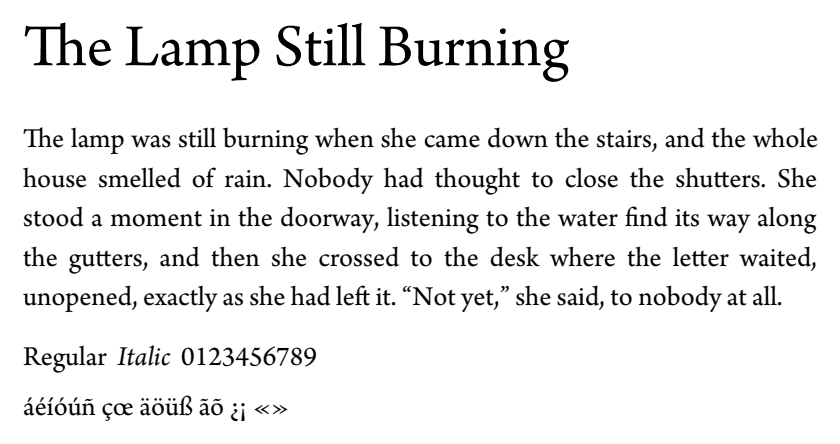
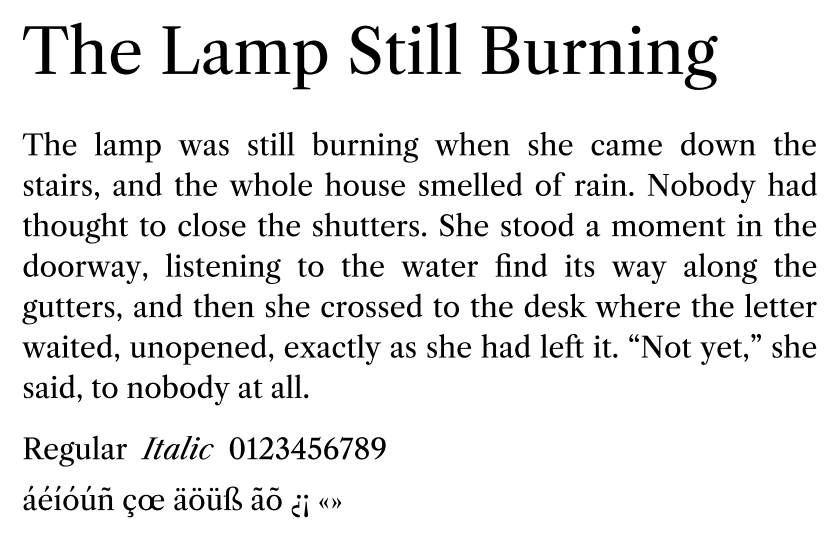
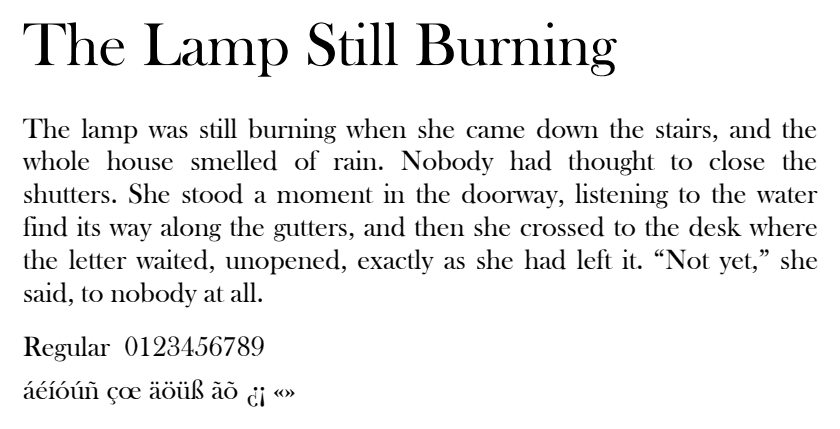
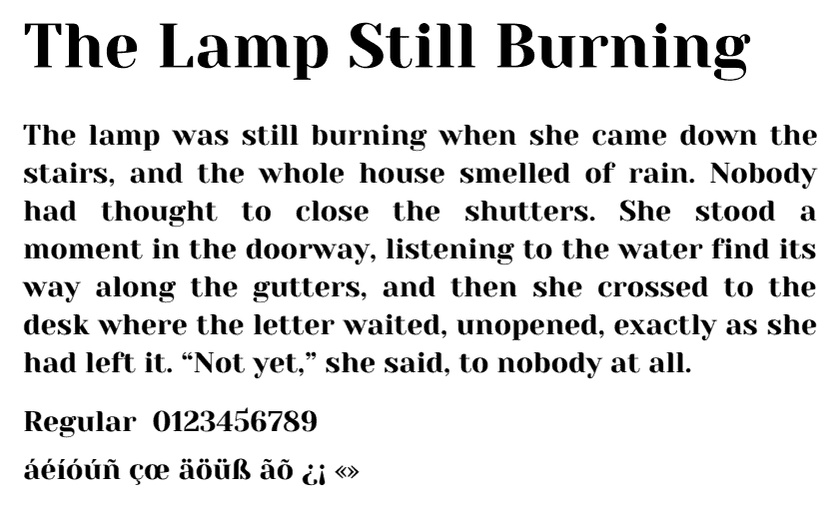
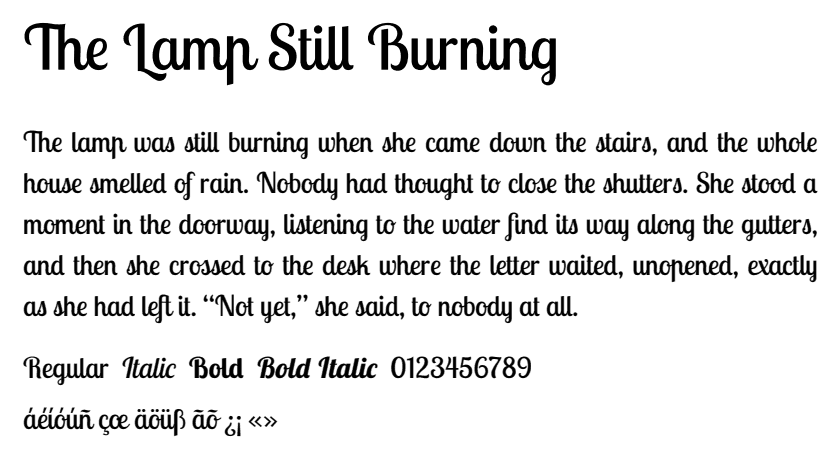
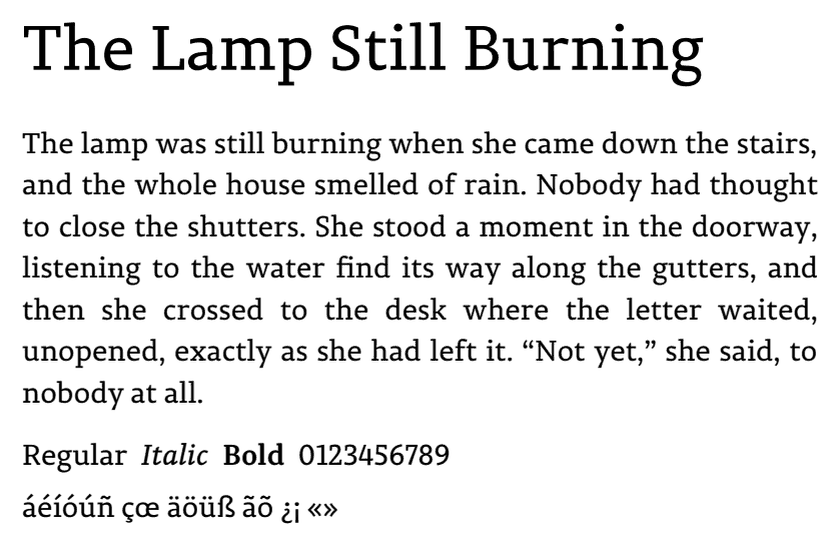
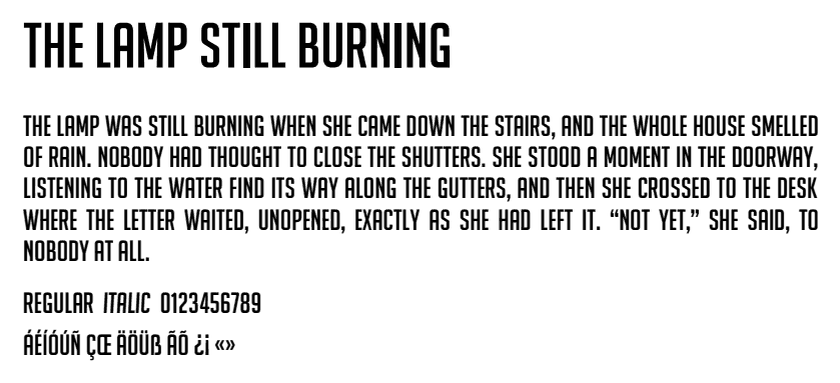
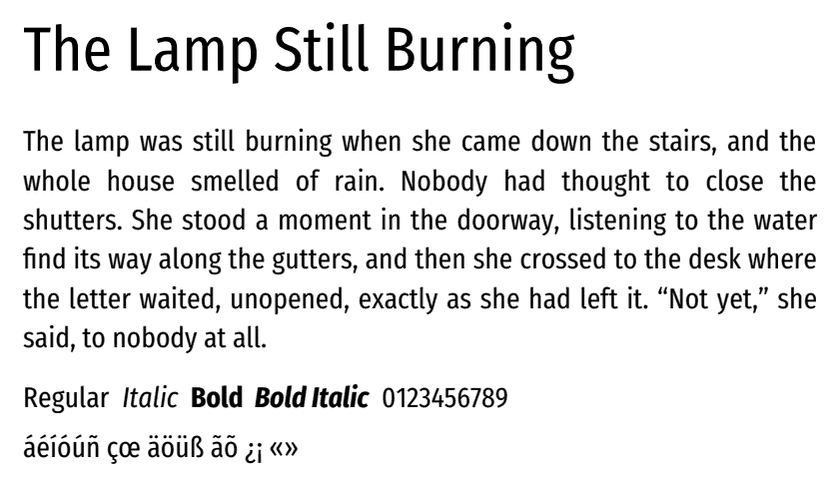
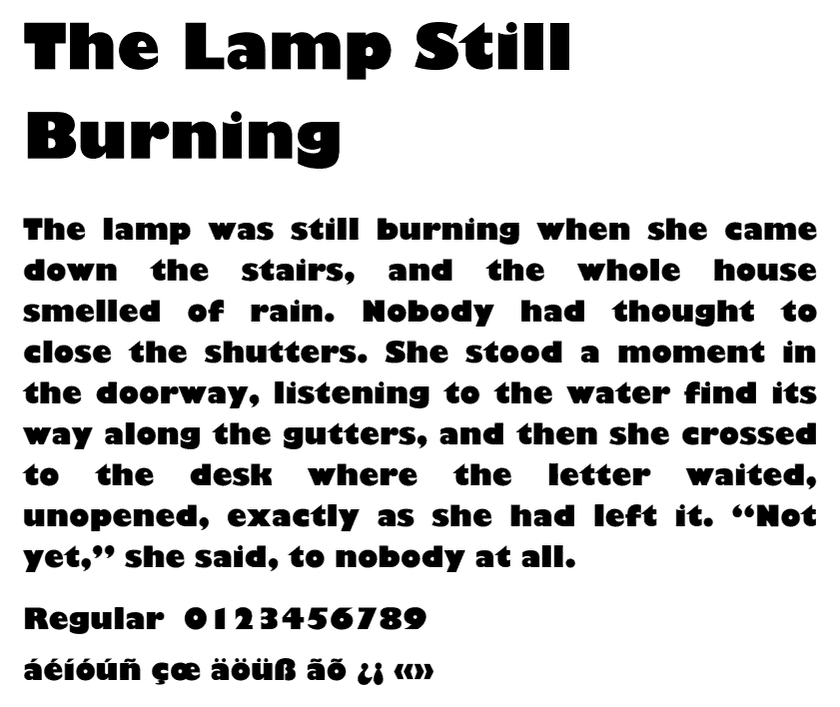
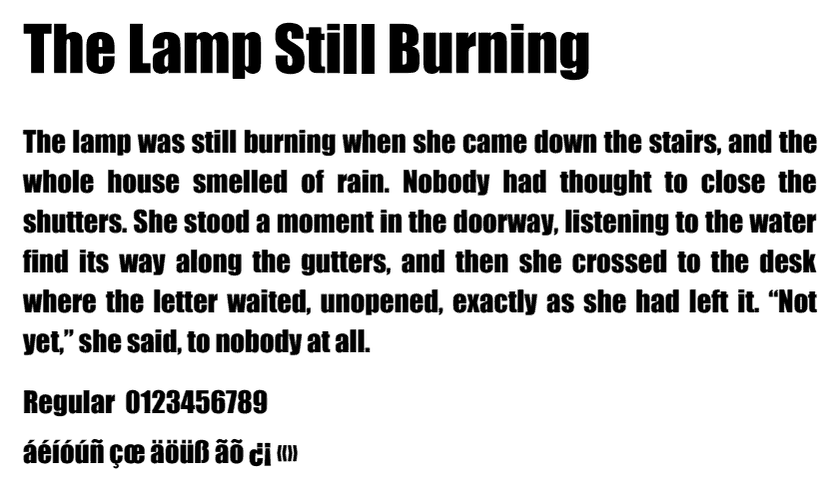
Every specimen on this page was set by the same renderer that sets your book: a chapter title and a real paragraph, at the size the design uses. 18 body faces with a true italic and bold, 5 more with one cut missing, and 23 title faces, each marked with the designs that use it and the languages it can set. Nothing here is a screenshot of somebody else's font catalogue.
See My Book FreeEvery face here ships inside your book. Cantos sets from this library, not from any font on the internet.
Your book is never used to train AI. Ever.
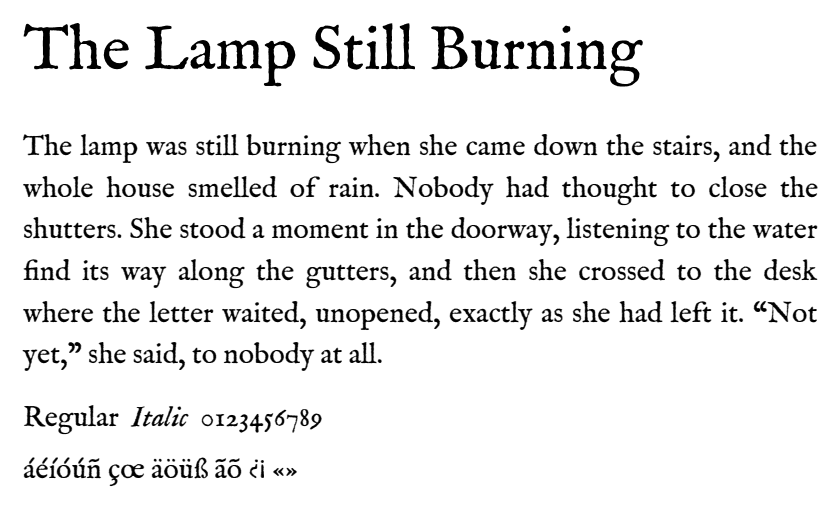
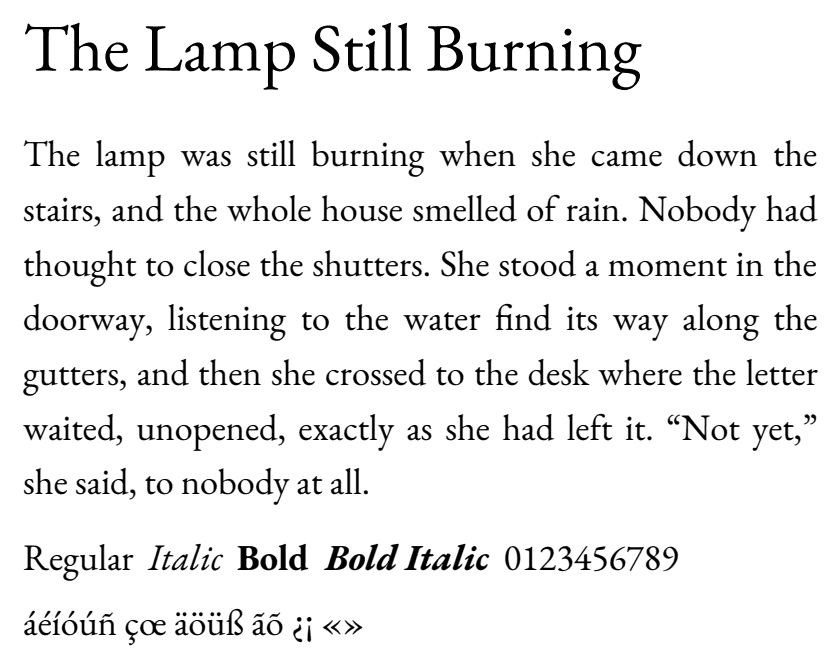
EB Garamond as Elite sets it. Rendered by our own chain, not a mock-up.
From the team behind BookDesignTemplates.com, trusted by first-time authors since 2011. Real people who have designed books for fifteen years, now working for you.
As seen on Amazon KDP · IngramSpark · BookBaby · Lightning Source · The Creative Penn · BAIPA · PBS
How To Use This Page
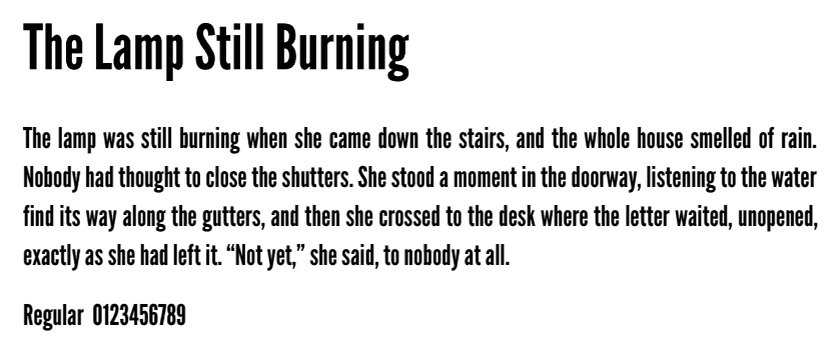
Body faces carry the whole book; title faces carry the chapter openings and the title page. The line under each specimen says which is which, which cuts it really has, and which of our six book languages it can set.
Each face names the Foundation Designs that set it, and for what. Pick one of those designs and the face is yours, with nothing to substitute. The designs page shows every design whole.
Once your proof is built, tell Cantos on Revise which face you would rather have. It answers straight away, from this library, whether it can set it for your book. Today the surest route to a face is the design that uses it: a new project on the same manuscript is free while you are in the proof stage.
Body Faces
A body face has to hold a reader for two hundred pages without tiring the eye, and it has to have a real italic and a real bold, because your manuscript uses both. These 18 do. Every one of them sets all six of our book languages: English, Spanish, French, German, Portuguese and Italian.
One Cut Short
These 5 set text well, and two of them are already the body of a design. Each is missing one cut, and we would rather say which than let the renderer fake it: a missing bold or italic is drawn by thickening or slanting the regular, and it never looks like the real thing.
Title Faces
A title face has one job: the chapter opening, the part page, the title page, where it can be as loud as it likes. These 23 are the ones we ship, the ones the designs already use among them. Where a face cannot set a language's accented letters, it says so here, together with the designs that use it, so a book in that language can pick a design whose faces set it.
Being Straight With You
Cantos sets from this library. A face you saw on a website, or one you bought yourself, cannot be dropped into your book here: a press-ready file has to embed a font we hold a licence for and have tested through the whole chain, on every page, in every language it claims.
Today a face comes with its design. Ask Cantos on Revise and it tells you what it can do for your book. Choosing a face on its own, separate from the design, is on our list and is not built, and we would rather tell you here than let you hunt for it.
Where a face is missing a cut, the page says so above, and for the two designs whose body face is one cut short it says what happens: a bold word in Balance and an italic word in Brisk are drawn from the regular by the renderer. A printed page shows the difference, so you should know it before you choose, not after.
How These Specimens Were Made
Each specimen is a document set in the face and run through the same renderer that sets every book, then cut from the finished PDF. The embedded font names on every page were read back, so no specimen shows a fallback face standing in for the real one. The sizes are the ones the designs use: the body at the design's body size, the title at its chapter-title size, and 11 and 24 point for a face no design uses yet.
Before You Start
Today the surest way is the design: pick a Foundation Design that uses the face you want and it is yours. Once your proof is built, you can also tell Cantos on Revise the face you would rather have, and it will say straight away whether it can set it for your book. A face picker of its own, separate from the design, is on our list; it is not built, and we will not pretend otherwise.
No. A press-ready file has to embed a font we hold a licence for and have tested through the whole chain, so Cantos sets only from this library. If the face you love is here, choose the design that uses it; if it is not, tell Cantos what you like about it and it will point you to the nearest one we have.
Because your manuscript uses them, on nearly every page: a title in italic, a term in bold, a thought set apart. A face with only a regular cut makes the renderer fake the rest by slanting or thickening the letters, and on a printed page that reads as cheap. Every body face on this page has all four cuts, and the ones that do not are labelled with what is missing.
Every body face here sets all six of our book languages. A few title faces cannot set accented letters at all, and the page says so beside each one, with the designs that use them. For a book in Spanish, French, German, Portuguese or Italian, choose a design whose faces set your language: the line under each specimen tells you which languages a face can set. For Noir in Spanish, Cantos already swaps its English-only title face for one that carries the accents.
The designs already answer that: each Foundation Design pairs a body face and a title face chosen for its genre, and the designs page shows all twenty whole. If you need large print, Magnificent sets EB Garamond at 14 point, which is what this page shows for it.
Yes. Each one was set by our own renderer and cut from the finished PDF, at the size the design uses, and the embedded font names were read back to make sure no fallback face crept in. What you see is what the press file carries.
Pick a design, upload your manuscript, and Cantos sets every page free. Pay only when you release the files.
See My Book FreeYou own everything, master file included. Never used to train AI.